Default board
A simple task board that fits almost any workflow — start in seconds, then customize as your process grows.
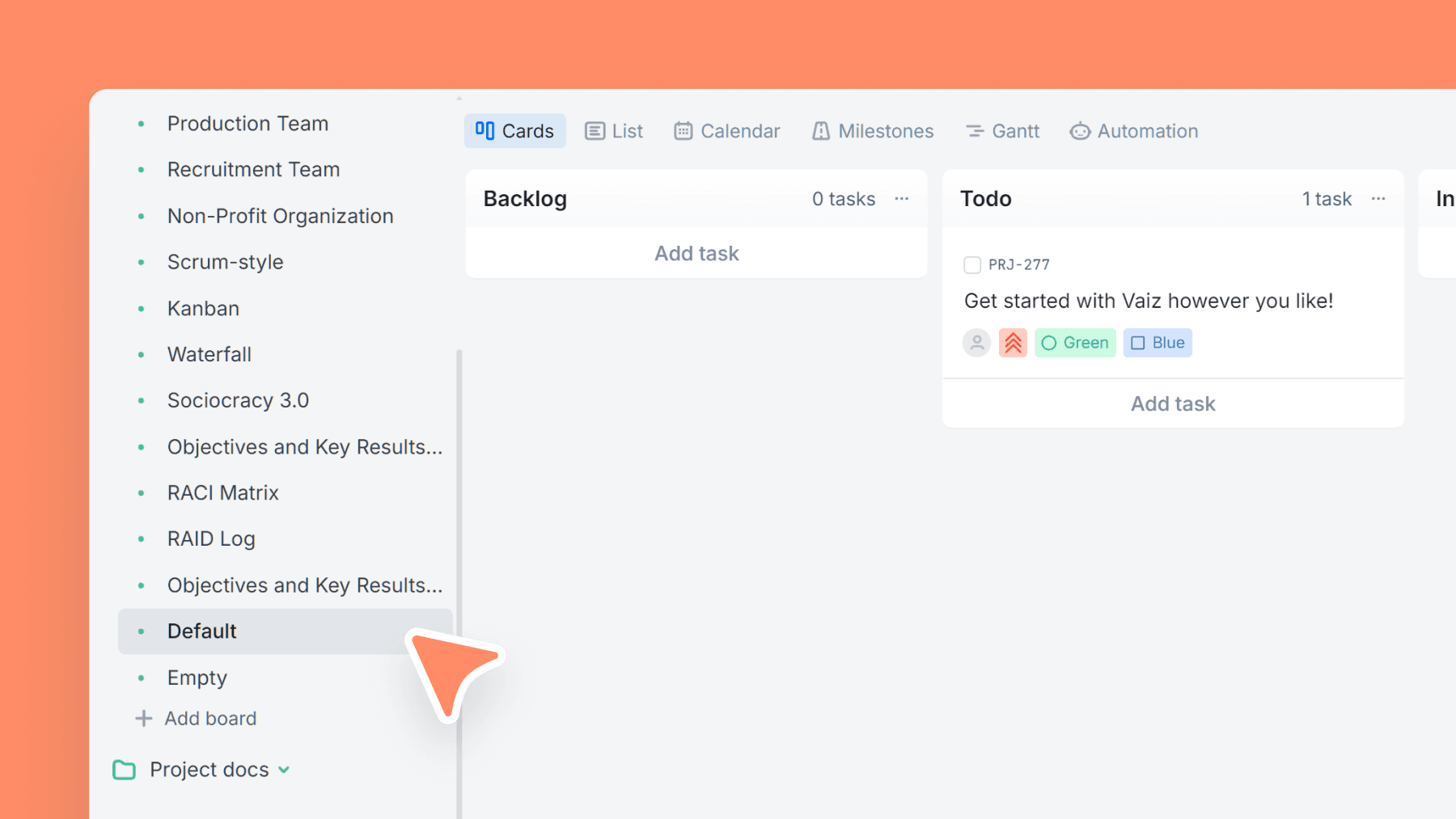
About this template
The Default Board is the fastest way to start in Vaiz. It's a clean, minimal workflow that works for personal tasks, small teams, and lightweight project tracking.
Color task types help you visually group work immediately (rename them to match your terms).
When you outgrow "simple", extend it: add columns, custom fields, and automation without migrating to a new system.
What’s inside
Columns included
Task types
Key features
- Instant setup: Backlog → Todo → In Progress → Done
- Visual categorization via task types
- Drag-and-drop flow that stays uncluttered
- Easy to expand with columns and fields
- Great base for custom workflows
Who is this template for?
- Small teams
- Personal projects
- First workspace in Vaiz
- Simple workflows
- Teams designing their own process
How to use this template
Use this board as a clean starting point: capture work, move only ready tasks into action, and customize later if the process grows.
Step 1
Capture and prioritize incoming work
Drop ideas and tasks into Backlog first, then move only the ready ones into Todo. This keeps your active list short and stops everything from feeling urgent at the same time.
Step 2
Keep active work visible
Move tasks from Todo to In progress only when someone is actually working on them, then finish them in Done. Even without extra fields, this simple rule keeps the board readable and reduces half-started work.
Step 3
Customize only when you feel friction
Use the built-in color task types as quick visual categories, then rename them when your real workflow becomes clearer. If you later need more columns, fields, or automation, you can extend this board without migrating to something else.
Frequently asked questions
Related templates

Empty board
A blank canvas to build your workflow from scratch — define columns, task types, and fields exactly the way your team works.

Kanban
Classic Kanban flow with a strict WIP limit — visualize work, reduce bottlenecks, and ship continuously.

Sales team
A lightweight CRM board to run your sales pipeline end-to-end. Qualify leads, track deal value, and forecast closes without the complexity of a full CRM.