Sales team
A lightweight CRM board to run your sales pipeline end-to-end. Qualify leads, track deal value, and forecast closes without the complexity of a full CRM.
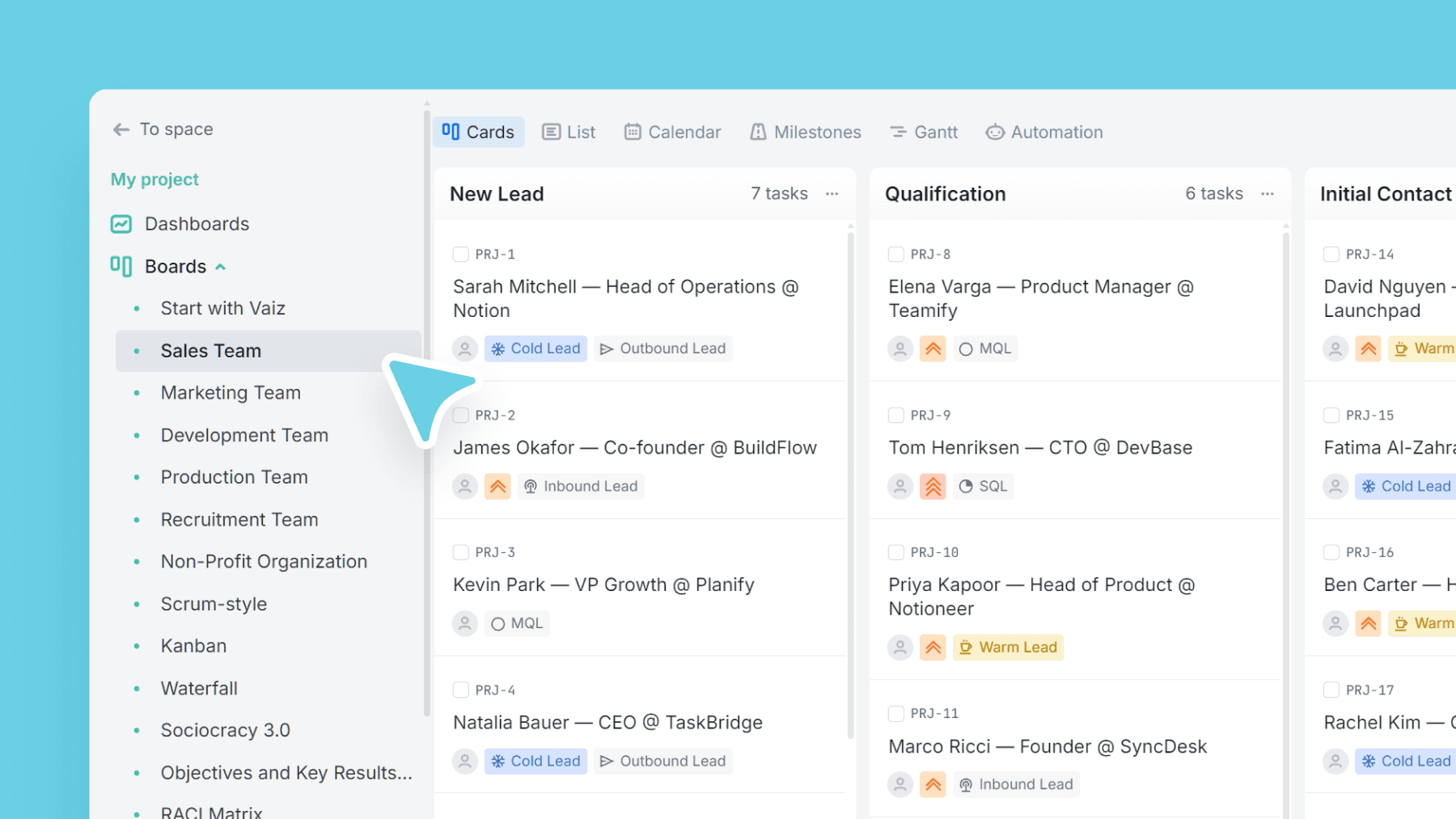
About this template
Turn Vaiz into a simple, fast sales CRM for small teams. This template gives you a clear pipeline from first touch to closed-won/closed-lost so everyone can see what's moving (and what's stuck) at a glance.
Use lead types (Cold/Warm/Hot + MQL/SQL/PQL and more) to separate signal from noise and keep marketing and sales aligned on what "qualified" means.
Built-in fields cover the essentials: contact details, lead source, activity dates, LinkedIn, deal amount, and expected close date perfect when you want pipeline clarity without enterprise overhead.
What is a sales pipeline template?
A sales pipeline template is a pre-configured board that maps every deal from first contact to close. Each stage represents a step in the sales process, from initial outreach through discovery, proposal, negotiation, and contract, so the whole team can see what is moving, what is stuck, and what is close to closing. A well-structured pipeline makes it possible to forecast revenue, prioritize follow-ups, and spot the stages where deals consistently stall.
Full CRM platforms like Salesforce or HubSpot offer deep reporting and automation, but they typically cost $50 or more per user per month and take weeks or months to set up correctly. This sales pipeline template is built for teams of up to 20 people who need deal clarity, not enterprise infrastructure. It covers the essentials: pipeline stages, lead qualification, deal values, close dates, and activity tracking without the overhead of a system designed for a 200-person sales org.
The template includes 11 pipeline stages: New lead, Qualification, Initial contact attempt, Contact made, Discovery stage, Proposal, Negotiation, Contract sent, Won, Lost, and No decision / On hold. Lead types cover the full qualification spectrum: Cold, Warm, Hot, MQL, SQL, PQL, Referral, Inbound, Outbound, and Disqualified. Built-in fields track contact details, lead source, first outreach date, last activity date, deal amount, and expected close date.
This template is the right fit for startup sales teams and founders running their own pipeline, SDR and BDR teams managing outreach volume, account executives handling multiple deals, and any small B2B team that has outgrown tracking deals in a spreadsheet.
What’s inside
Columns included
Task types
Custom fields
Key features
- Full pipeline workflow from New Lead to Won/Lost
- Lead qualification categories (incl. MQL/SQL/PQL)
- Deal value + close date for forecasting
- Activity timestamps to keep follow-ups honest
- Lead source attribution for channel insights
Who is this template for?
- Startup sales teams and founders
- SDR/BDR outreach pipelines
- Account executives managing deals
- Small B2B teams that don't want a heavyweight CRM
- Agencies tracking prospects + clients
How to use this template
Use this board to qualify leads, move deals through a clear pipeline, and keep forecasting signals visible without a heavyweight CRM.
Step 1
Qualify incoming leads
Capture every new opportunity in New lead and Qualification, then use lead types like Cold lead, MQL, SQL, or Referral to separate early interest from real buying intent before the pipeline gets noisy.
Step 2
Run the active pipeline
Move qualified deals through Initial contact attempt, Contact made, Discovery stage, Proposal, Negotiation, and Contract sent. Keep Lead source, First outreach date, and Last activity date updated so follow-ups stay visible and stale deals surface quickly.
Step 3
Forecast and review outcomes
Use Deal amount and Close date to build a lightweight forecast, then close cards in Won, Lost, or No decision / On hold. Review those outcomes regularly to spot which channels, reps, or deal stages need attention.
Frequently asked questions
Related templates

Marketing team
Plan campaigns, content, and creative work in one place — size tasks quickly, tag by marketing discipline, and track where requests/leads come from.

Development team
A lightweight engineering board that keeps references and blockers visible — with flexible task categories and zero forced fields.

Production team
Run end-to-end content production — from brief to launch — with clear phases, content types, and linked docs/assets.