Production team
Run end-to-end content production — from brief to launch — with clear phases, content types, and linked docs/assets.
About this template
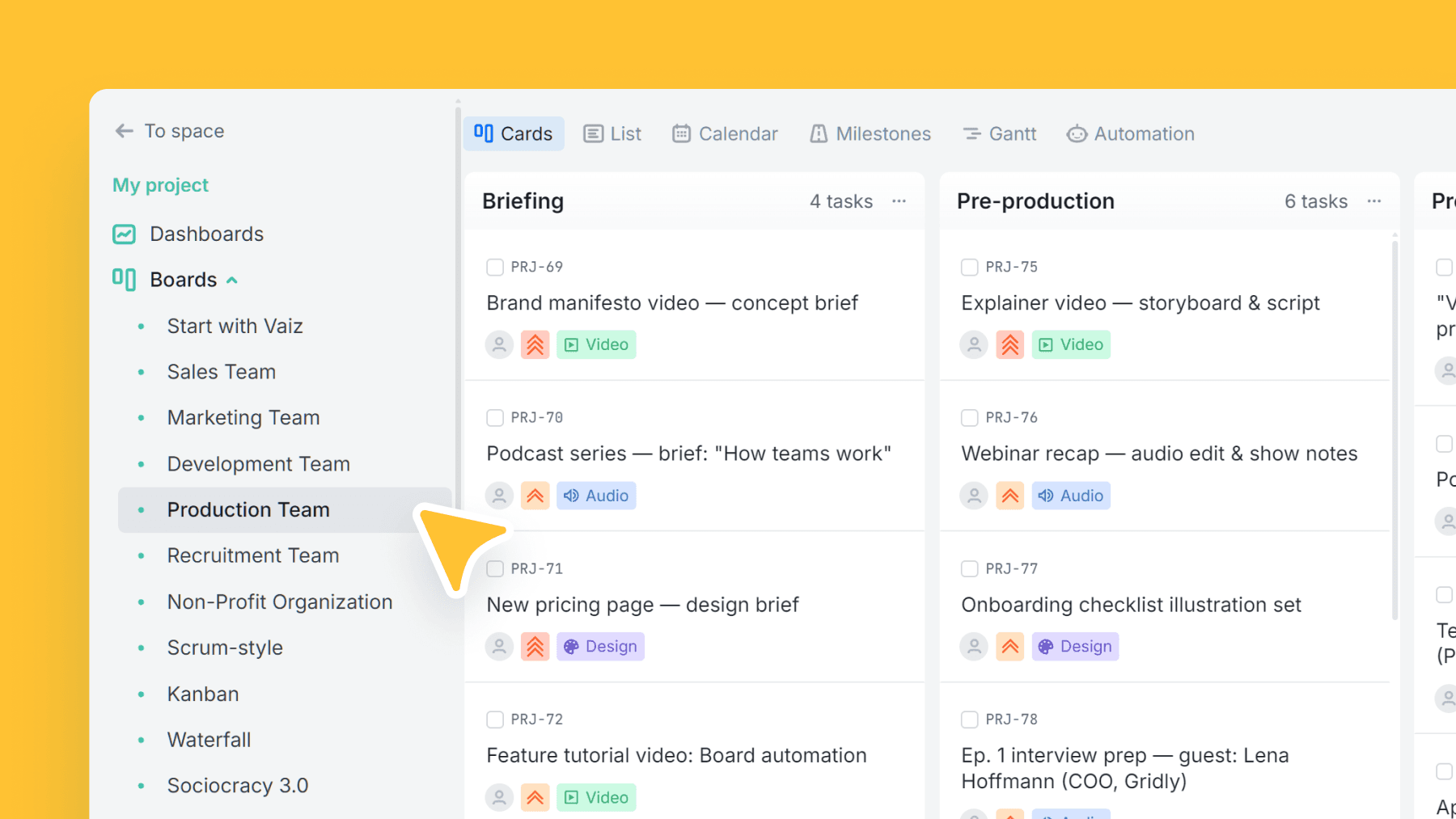
This is a full production workflow for teams creating content across formats. It's structured as six phases so you always know what's next: Briefing → Pre-production → Production → Post-production → Distribution → Post-launch.
Each phase includes guidance, which helps standardize process across the team (especially when multiple creators are involved).
Use task types to separate Video/Audio/Design work, and link every task to the brief, roadmap, and the latest drafts/assets so feedback loops stay tight.
What’s inside
Columns included
Task types
Custom fields
Key features
- Clear phase gates from brief to post-launch iteration
- Works for video, audio, design, and mixed production
- Built-in doc/asset linking via custom fields
- Standardizes production handoffs
- Great visibility for producers and stakeholders
Who is this template for?
- Content studios
- Video/audio production teams
- Design teams
- Creative agencies
- Marketing production squads
How to use this template
Use this board to run production from brief to launch while keeping assets, feedback, and handoffs attached to the same work record.
Step 1
Set up each production item properly
Start in Briefing and Pre-production with the Project brief and Roadmap fields filled in before work goes live. Use task types like Video, Audio, Design, or Other so everyone immediately understands what kind of deliverable is moving through the pipeline.
Step 2
Keep execution and feedback in one flow
Move work through Production and Post-production while keeping the latest Drafts & assets link on the task itself. That makes it easier to run review cycles without hunting across folders and side conversations for the current version.
Step 3
Ship and learn from launch
Use Distribution for publishing handoff and Post-launch for follow-up, iteration, or performance review. This keeps release and post-release work visible instead of treating launch as the end of the process.
Frequently asked questions
Related templates

Marketing team
Plan campaigns, content, and creative work in one place — size tasks quickly, tag by marketing discipline, and track where requests/leads come from.

Sales team
A lightweight CRM board to run your sales pipeline end-to-end. Qualify leads, track deal value, and forecast closes without the complexity of a full CRM.

Development team
A lightweight engineering board that keeps references and blockers visible — with flexible task categories and zero forced fields.