Marketing team
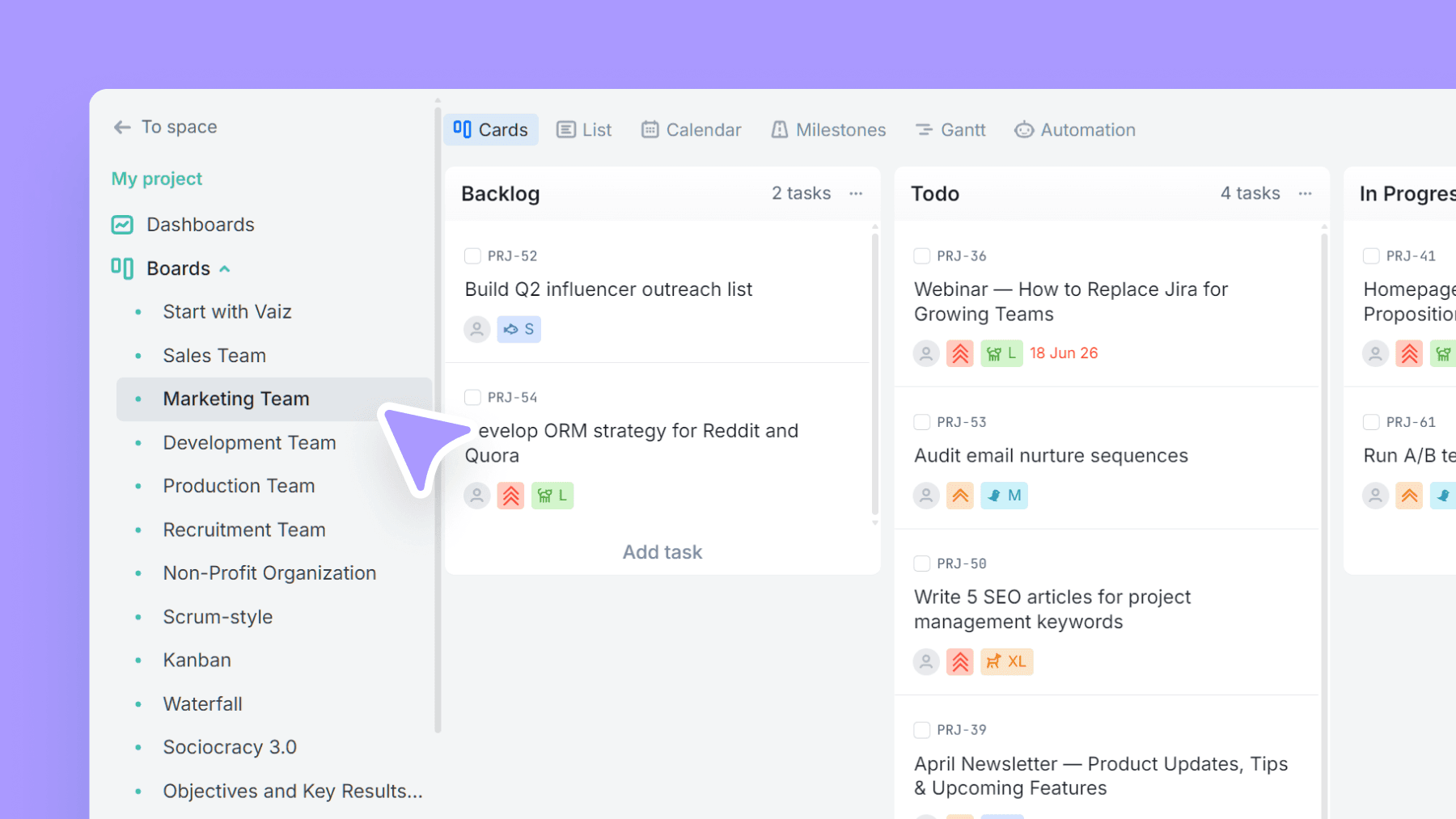
Plan campaigns, content, and creative work in one place — size tasks quickly, tag by marketing discipline, and track where requests/leads come from.
About this template
This template is built for marketing teams juggling many channels and formats. It gives you a clean workflow from Backlog to Done with a dedicated Review stage, so approvals don't turn into chaos.
Estimate effort with T-shirt sizing (XS–XXL) using lightweight time ranges — enough for planning without turning every task into a spreadsheet exercise.
Use Area tags (SEO/SEM, Performance, Content, PR, Events, etc.) to slice the board by discipline, and Source tracking to see which channels bring requests or leads.
What’s inside
Columns included
Task types
Custom fields
Key features
- Backlog-Review-Done workflow with an Archive lane
- T-shirt sizing with time ranges for fast planning
- Area tags to filter by discipline/channel
- Source tracking for attribution insights
- Works for campaigns, content, and creative production
Who is this template for?
- Marketing teams and growth teams
- Content/Editorial teams
- Social media + community managers
- Creative teams/creative ops
- Agencies running multiple clients/campaigns
How to use this template
Use this board to plan campaign work, keep reviews moving, and understand which areas and sources are driving the most work.
Step 1
Plan and size the backlog
Start with Backlog and Todo to collect campaign ideas, content tasks, and creative requests. Use XS, S, M, L, XL, and XXL task types to size effort quickly before work enters active delivery.
Step 2
Control execution and approvals
Move work through In progress, Hold, Review, and Done with Review acting as the single approval gate. This keeps copy, design, and launch tasks from bouncing around without a clear next step.
Step 3
Analyze workload by area and source
Use the Area field to group work by discipline and Source to track where requests or leads are coming from. Once work is complete, move it to Archived so the active board stays clean but history stays searchable.
Related guides
Frequently asked questions
Related templates

Production team
Run end-to-end content production — from brief to launch — with clear phases, content types, and linked docs/assets.

Sales team
A lightweight CRM board to run your sales pipeline end-to-end. Qualify leads, track deal value, and forecast closes without the complexity of a full CRM.

Development team
A lightweight engineering board that keeps references and blockers visible — with flexible task categories and zero forced fields.