Kanban
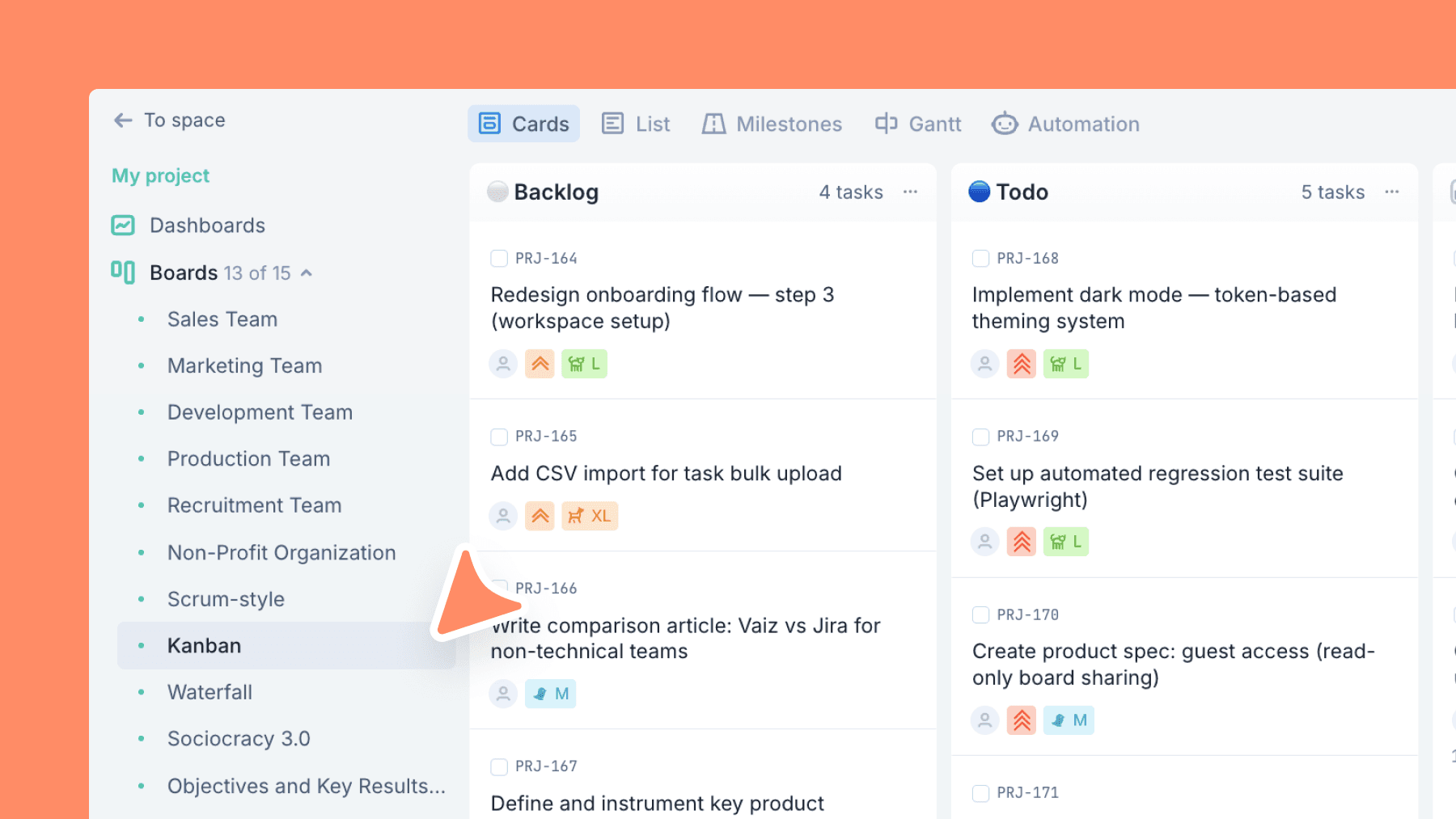
Classic Kanban flow with a strict WIP limit — visualize work, reduce bottlenecks, and ship continuously.
About this template
A practical Kanban board that puts flow first: clear stages, quick visual scanning, and a hard WIP limit on In Progress to prevent overload.
Effort is tracked with T-shirt sizing (XS–XXL) — lightweight for planning, useful for prioritization.
Area tags let you slice work by team or discipline, and an Archived lane keeps history searchable without cluttering your Done.
What is a Kanban board template?
Kanban is a workflow management method built on three principles: visualize work, limit work in progress, and manage flow. The word kanban is Japanese for "visual card." The method was developed at Toyota in the 1950s to manage manufacturing production and has since become one of the most widely used frameworks in software development, operations, and service teams. A Kanban board makes work visible: every task is a card, every stage is a column, and the team can see what is moving and what is stuck.
A kanban card represents a single unit of work on the board. Each card holds the key information about a task: who owns it, what type of work it is, its priority, and any relevant deadline. Cards move from left to right across columns as work progresses, from Backlog through active stages to Done. The kanban card format keeps work visible and scannable without requiring long status updates or separate tracking tools.
WIP limits, or work-in-progress limits, cap how many tasks can be active in a stage at the same time. Without a WIP limit, teams pull new tasks before finishing current ones, which creates context switching, delays, and a board full of half-finished work. A WIP limit forces the team to finish before starting something new.
Kanban and Scrum are both agile frameworks, but they work differently. Kanban is a continuous flow: there are no sprints, no fixed cycles, and work is pulled as capacity allows. Scrum runs in fixed-length sprints with planning, review, and retrospective ceremonies. Kanban is better suited to operational work, support queues, and ongoing delivery. Scrum works well for product development teams that benefit from a regular cadence and structured feedback loops.
What’s inside
Columns included
Task types
Custom fields
Key features
- True Kanban flow with WIP limit on active work
- Visual, easy scanning of stages
- Lightweight sizing for prioritization
- Area tags for filtering
- Archive lane for clean boards + history
Who is this template for?
- Continuous delivery teams
- Ops and support workflows
- Mixed teams (dev + non-dev)
- Teams drowning in "In Progress"
- Anyone moving from chaos to flow
How to use this template
Use this board to visualize flow, limit active work, and improve throughput without adding heavy process on top of the team.
Step 1
Prepare work before it goes active
Keep upcoming tasks in Backlog and pull only ready items into Todo. Use XS to XXL sizing to make effort visible before work enters the system, so prioritization stays lightweight but explicit.
Step 2
Protect flow with WIP control
Treat In progress (WIP ≤ 7) as a real limit, not just a label. If work starts piling up there, pause new pulls, use Hold for blocked items, and push cards through Review instead of letting half-finished work accumulate.
Step 3
Finish cleanly and learn from the board
Move completed work into Done, then archive older items so the board stays easy to scan. Use the Area field to spot which team, function, or discipline is generating bottlenecks or consuming the most flow capacity.
Related guides
Frequently asked questions
Related templates

Scrum
A ready-to-run Scrum board with ceremonies, sprint tracking, WIP limits, and engineering task categories.

Waterfall
A phase-based Waterfall template for fixed-scope projects — move work through requirements, design, build, QA, release, and maintenance with clear gates.

Sociocracy 3.0
An S3 governance workflow to turn tensions into consented decisions — proposals, policies, experiments, and follow-through in one board.