Waterfall project management template
A phase-based Waterfall template for fixed-scope projects — move work through requirements, design, build, QA, release, and maintenance with clear gates.
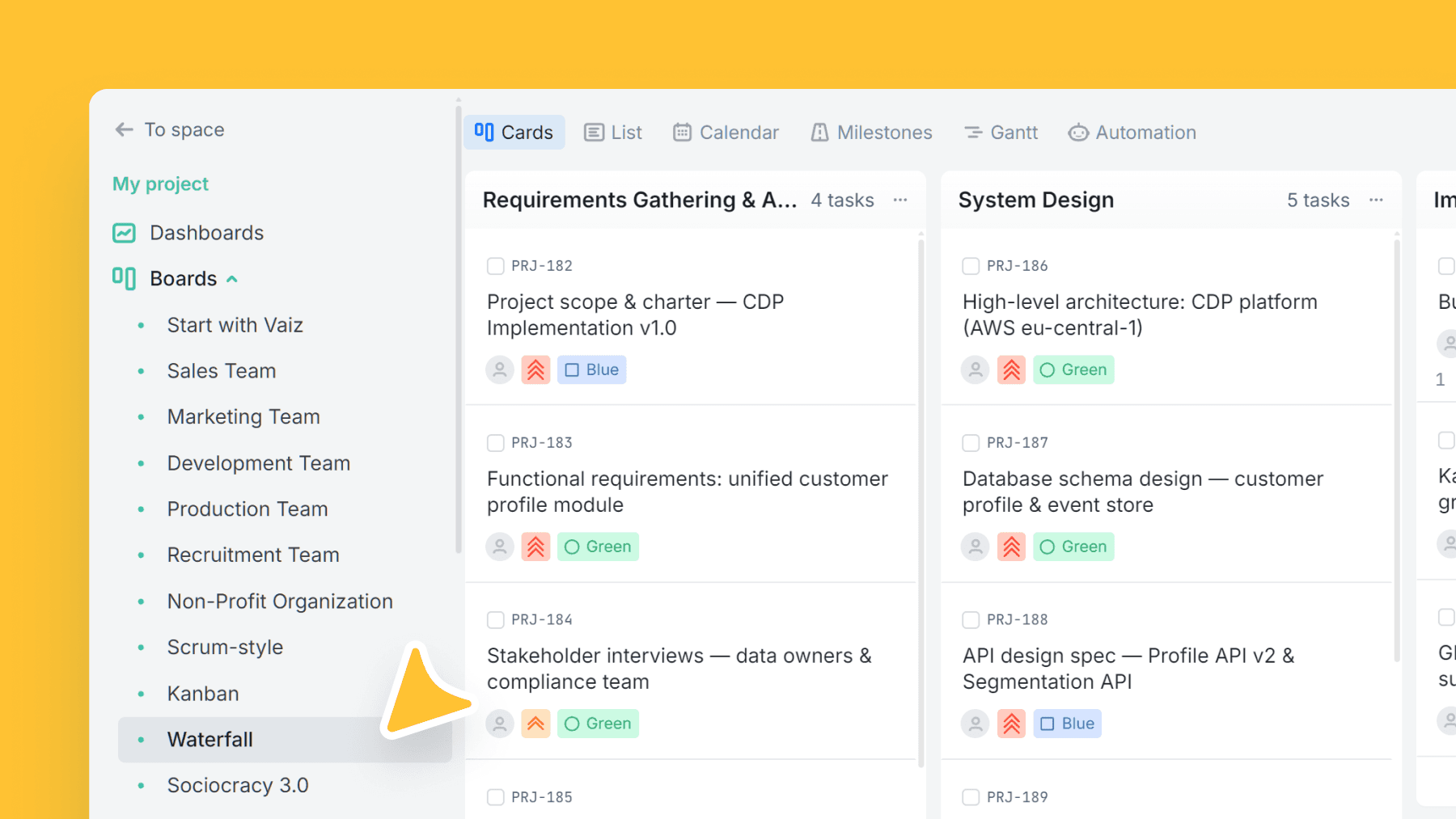
About this template
This template implements a classic Waterfall delivery flow with sequential phases and clear expectations at each gate. It's ideal when requirements are stable, approvals matter, or changes are expensive.
Each phase includes guidance to align teams on deliverables like requirements specifications and technical design.
Documentation fields let you link your SRS and technical specs directly to the work — so phase gates don't rely on scattered docs.
What is the Waterfall methodology?
Waterfall is a linear, sequential project management methodology where each phase must be fully completed before the next begins. Work moves in one direction through six stages: Requirements, Design, Development, QA, Release, and Maintenance.
Unlike Agile, there are no iterations or sprints. Scope, timeline, and deliverables are defined upfront and locked before work starts. This makes Waterfall a strong fit for construction, manufacturing, government contracts, and compliance-heavy software projects where requirements are stable and changes are costly.
If your project requires flexibility or evolving scope, consider the Kanban or Scrum templates instead.
What’s inside
Columns included
Task types
Custom fields
Key features
- Sequential phases with clear deliverables
- Strong fit for fixed-scope and regulated work
- Built-in links for SRS + technical/design docs
- Stakeholder approvals become explicit gates
- Maintenance stage included
Who is this template for?
- Fixed-scope projects
- Regulated/compliance-heavy teams
- Implementation and delivery teams
- Projects with formal sign-offs
- Teams needing phase-gate visibility
How to use this template
Use this board to manage phase-based delivery with explicit gates, supporting documentation, and predictable handoffs from one stage to the next.
Step 1
Define scope and design upfront
Start work in Requirements gathering & analysis and System design. Attach the SRS and Design document / Technical specification fields early so scope and technical decisions are tied to the same record before implementation begins.
Step 2
Move work through controlled phase gates
Only advance items into Implementation / Development, Testing / QA, and Deployment / Release when the current stage is complete. This keeps approvals and handoffs explicit instead of letting downstream teams work from partial inputs.
Step 3
Handle release follow-through and support
Use Maintenance & support for post-release fixes, operational follow-up, and any long-tail support work. If new scope appears, treat it as a new requirement rather than quietly injecting it into later phases.
Related guides
Frequently asked questions
Related templates

Scrum
A ready-to-run Scrum board with ceremonies, sprint tracking, WIP limits, and engineering task categories.

Kanban
Classic Kanban flow with a strict WIP limit — visualize work, reduce bottlenecks, and ship continuously.

Sociocracy 3.0
An S3 governance workflow to turn tensions into consented decisions — proposals, policies, experiments, and follow-through in one board.