Non-profit organization
Track grants and initiatives from discovery to close — with a clear pipeline and quick status markers for deadlines and submissions.
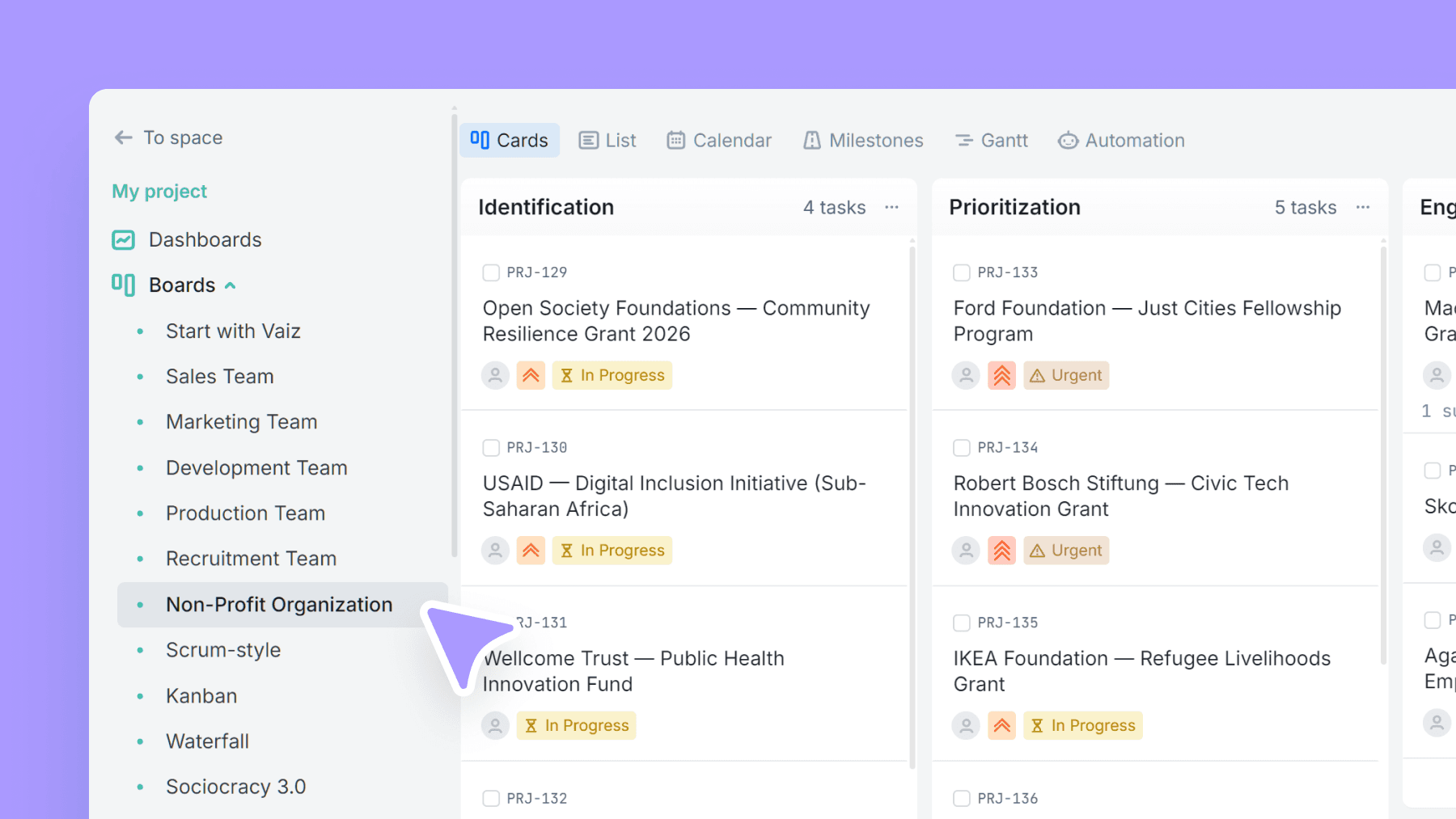
About this template
This template gives nonprofits a simple stage-based view of grants and initiative work. It covers the lifecycle: identify opportunities, prioritize, engage stakeholders, prepare proposals/applications, manage contracts, and track ongoing work through closure.
Status types act as at-a-glance markers — so your team can see what's urgent, submitted, in progress, or ready for review without opening every item.
It's built for grants, but the structure works for any multi-stage initiative with stakeholders and deadlines.
What’s inside
Columns included
Task types
Key features
- Full grant/initiative lifecycle in clear stages
- Quick status markers (incl. urgent + submitted)
- Works with due dates for deadline management
- Contract + ongoing tracking included
- Flexible for grants, programs, or internal initiatives
Who is this template for?
- NGOs and nonprofits
- Grant managers and program managers
- Foundations tracking applications
- Social enterprises
- Teams managing multiple funding streams
How to use this template
Use this board to move grants and initiatives from first opportunity scan to ongoing delivery, while keeping urgency and submission status visible at a glance.
Step 1
Identify and prioritize opportunities
Capture potential grants or initiatives in Identification, then move the strongest ones into Prioritization and Engagement. This gives the team a clear place to separate raw opportunities from work that is actually worth pursuing.
Step 2
Manage applications and approvals
Run active work through Proposal, Applications, Pre-award, and Contract so the pipeline reflects where each initiative really stands. Use status types like Urgent, Submitted, In progress, and Final review phase to surface what needs action without opening every card.
Step 3
Track delivery through closure
Once funding or approval is secured, keep work moving in Ongoing until reporting, delivery, and follow-up are complete, then close it cleanly in Closed. This makes it easier to review which initiatives are active, which are done, and which ones need renewed attention.
Frequently asked questions
Related templates

Sales team
A lightweight CRM board to run your sales pipeline end-to-end. Qualify leads, track deal value, and forecast closes without the complexity of a full CRM.

Marketing team
Plan campaigns, content, and creative work in one place — size tasks quickly, tag by marketing discipline, and track where requests/leads come from.

Development team
A lightweight engineering board that keeps references and blockers visible — with flexible task categories and zero forced fields.