RAID log
Track Risks, Assumptions, Issues, and Dependencies in one place — prioritize by probability and impact, assign owners, and drive resolution.
About this template
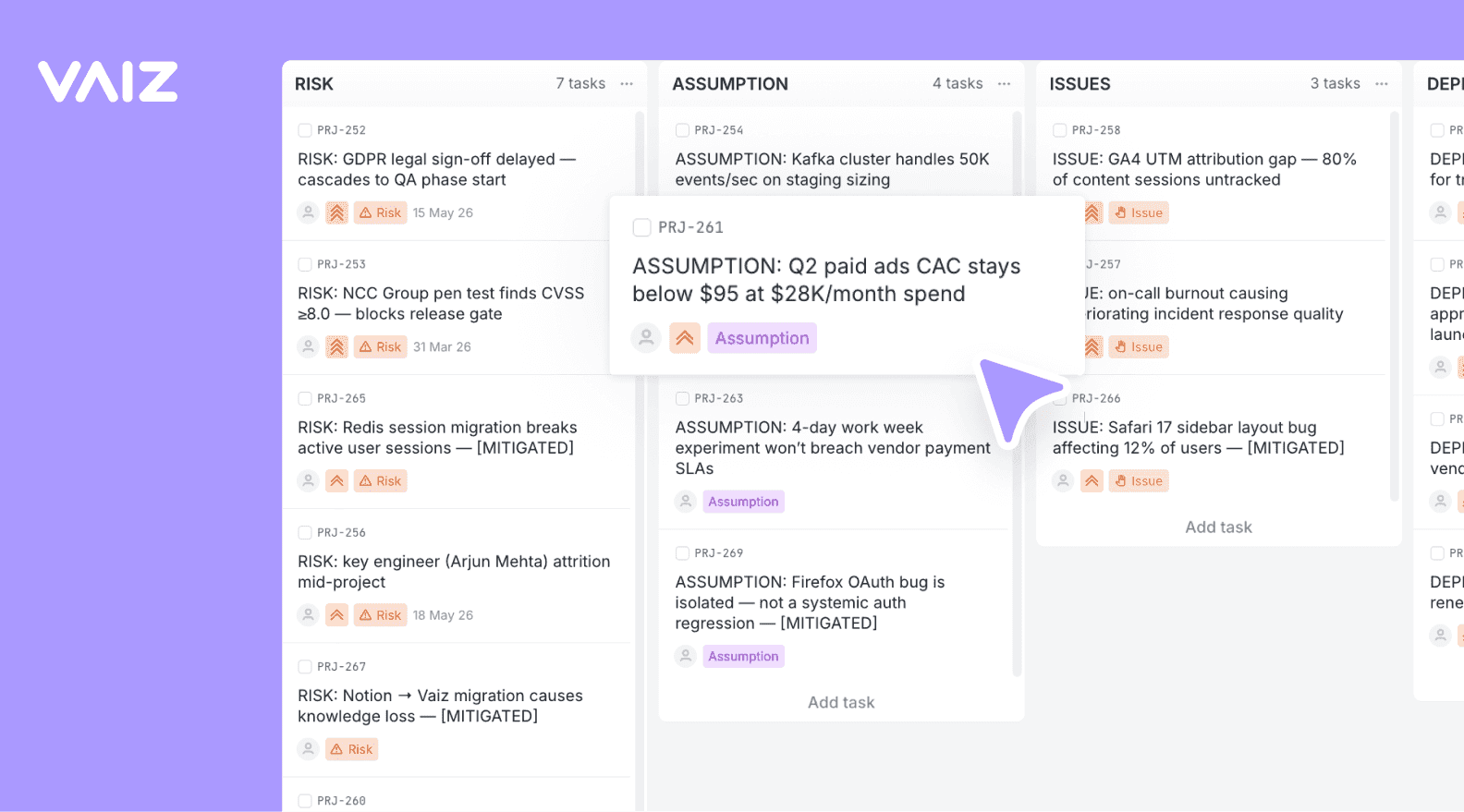
The RAID Log is a project management essential: a single view of everything that could derail your project. Risks are potential problems, Assumptions are unverified beliefs, Issues are current problems, and Dependencies are external blockers.
Columns track item lifecycle from Open through Mitigated to Closed, so you always know what needs attention and what's been resolved.
Built-in fields cover Probability, Impact, Owner, Mitigation Plan, Target Date, and Category — giving you a complete risk register without a separate spreadsheet.
What is a RAID log?
A RAID log is a project management tool that gives teams a single place to track four categories of project risk: Risks, Assumptions, Issues, and Dependencies. Risks are potential problems that have not happened yet. Assumptions are things the team believes to be true but has not verified. Issues are active problems that need resolution. Dependencies are external factors or other teams your project relies on. Together, these four categories cover the things that could derail a project.
RAID logs are most useful on projects with external dependencies, multiple teams, or stakeholders who need regular updates. If your project runs longer than two months, involves more than one team, or depends on work being done outside your direct control, a RAID log helps you stay ahead of problems instead of reacting to them.
A risk register tracks risks only: probability, impact, owner, and mitigation plan. A RAID log does all of that and adds assumptions, issues, and dependencies. Many teams start with a risk register and move to a RAID log as projects grow more complex. If your team already uses a risk log template or risk register, this RAID log template replaces it without losing anything because the Risks section includes the same core fields.
A standard issue tracker captures bugs and tasks. A RAID log captures the broader context: not just what is broken, but what could go wrong, what you are assuming, and who you are waiting on. Used together with a RACI matrix, a RAID log becomes even more effective: RACI defines who owns each decision, and the RAID log tracks the risks and dependencies attached to those decisions.
What’s inside
Columns included
Task types
Custom fields
Key features
- Four item types: Risk, Assumption, Issue, Dependency
- Lifecycle columns from Open to Closed
- Probability and Impact scoring
- Owner assignment and mitigation planning
- Category tags (Technical, Resource, Schedule, Budget, Scope, External)
- Task relations for traceability
Who is this template for?
- Project managers tracking risks
- PMO teams standardizing risk management
- Delivery teams surfacing blockers
- Stakeholder communication on project health
- Audit and compliance documentation
How to use this template
Use this board as a living RAID log, so risks and blockers stay visible, prioritized, and connected to the work they affect.
Step 1
Capture each item with the right type
Create entries as Risk, Assumption, Issue, or Dependency so the team knows whether it is managing a possible threat, an active problem, or an external blocker. Fill in Probability, Impact, Owner, and Trigger early to make prioritization easier.
Step 2
Track mitigation as active work
Move items from Open into In progress or Monitoring as soon as someone is actively handling them. Use Mitigation plan, Target date, and Category to make the next action visible instead of turning the log into a passive register.
Step 3
Close the loop with traceability
When exposure is reduced or resolved, move the item into Mitigated or Closed and link any Related tasks that were affected. This makes reviews easier because the log shows both the original risk and the delivery work created to address it.
Frequently asked questions
Related templates

Risk register
A risk register template that scores likelihood and impact, assigns an owner to every risk, and keeps mitigation plans visible until they're closed.

Scrum
A ready-to-run Scrum board with ceremonies, sprint tracking, WIP limits, and engineering task categories.

Kanban
Classic Kanban flow with a strict WIP limit — visualize work, reduce bottlenecks, and ship continuously.