Recruiting pipeline template
A hiring pipeline that tracks roles and candidates together — from hiring request to onboarding, with sources and seniority built in.
About this template
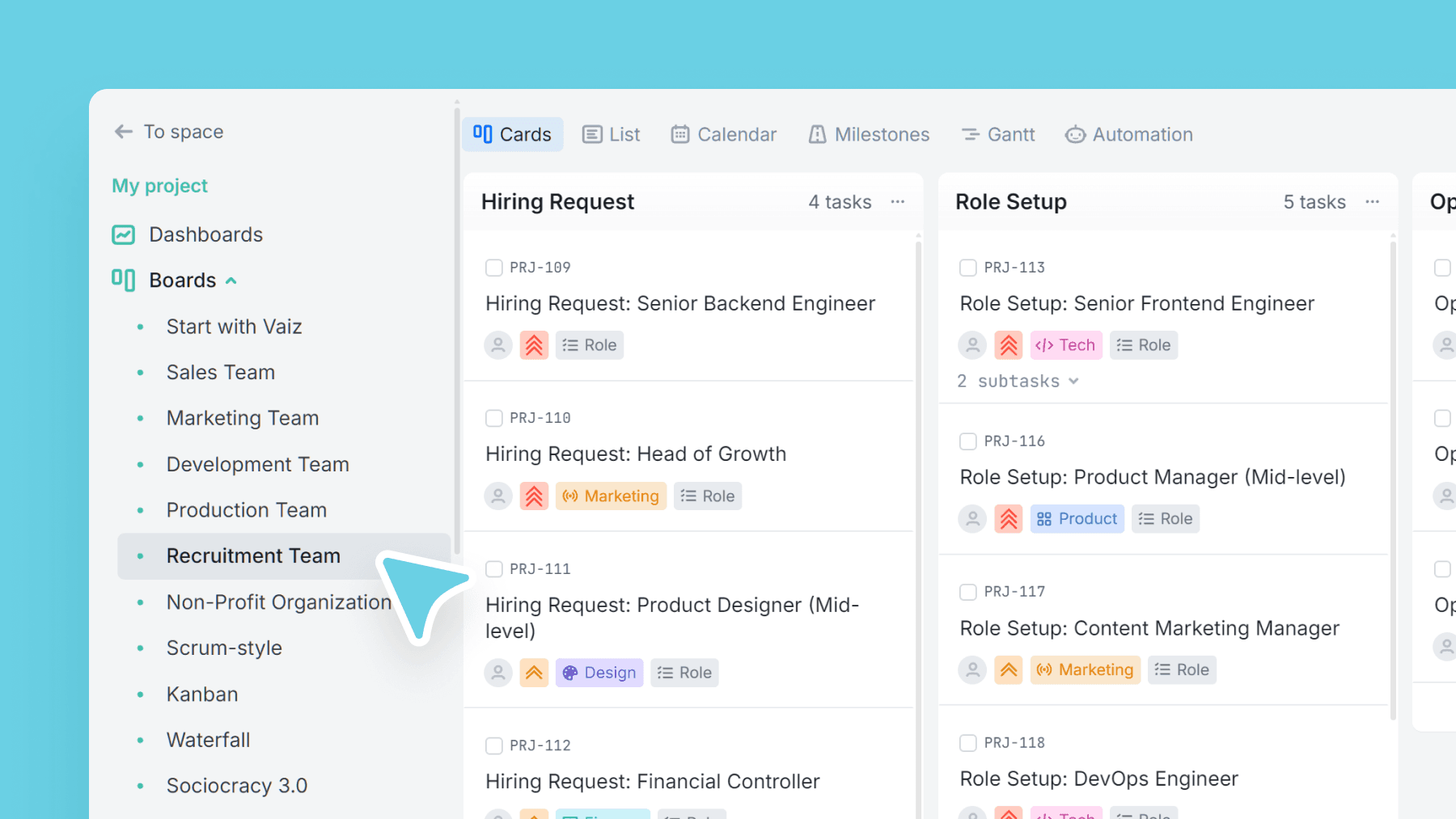
This board gives you one shared hiring pipeline: keep open roles and candidate cards in the same system, without losing structure.
Stages cover the full flow from request and role setup through sourcing, interviews, assessment, and offer — ending in onboarding or rejection, so your pipeline stays accurate.
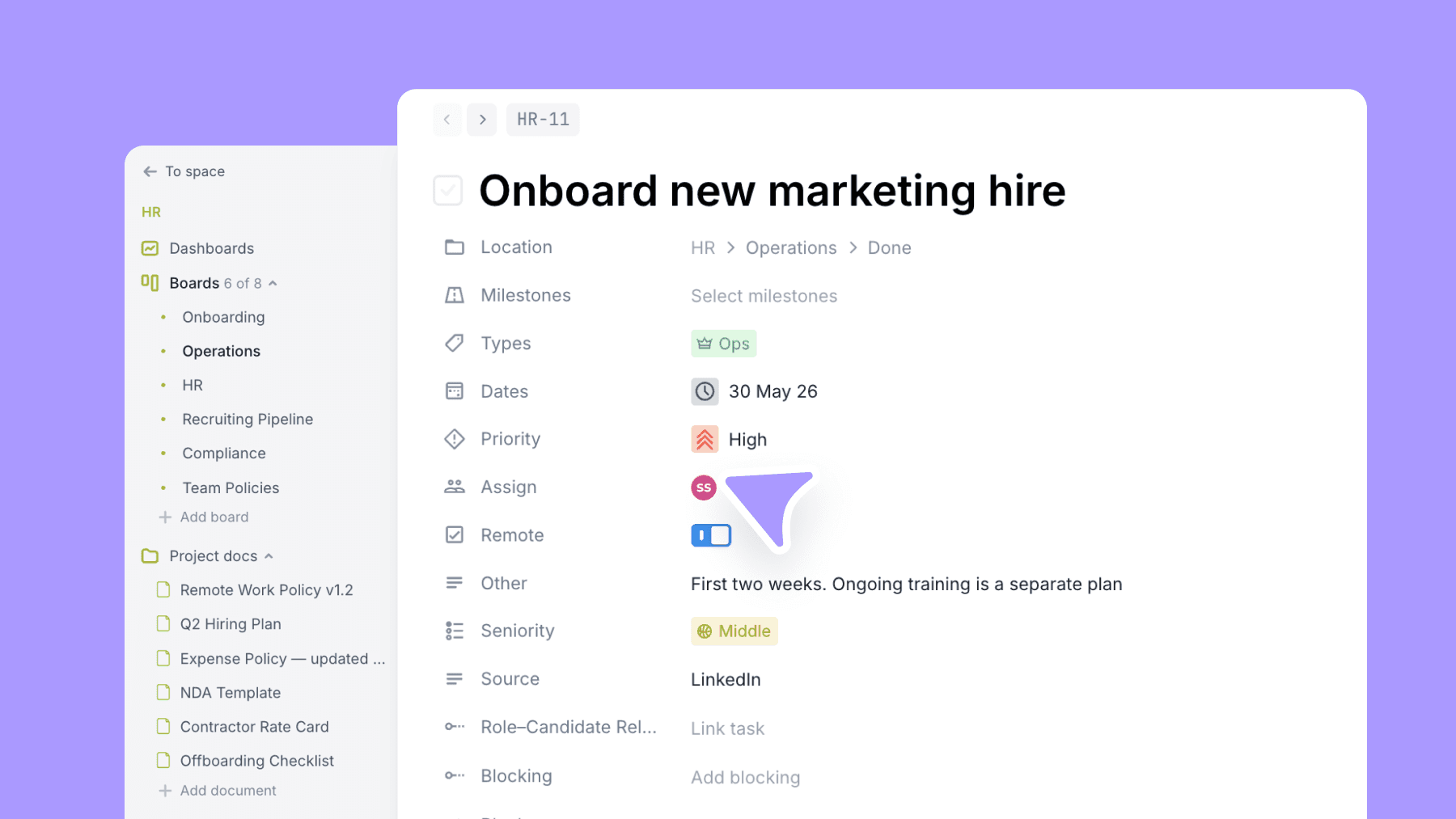
Use Seniority and Remote flags to filter quickly, Source tracking to measure channel quality, and a relationship field to connect candidates to the right roles.
What is a recruitment tracker?
A recruitment tracker, also called a recruiting pipeline template, keeps all open roles and candidates in one shared system. Instead of managing hiring across spreadsheets, email threads, and separate documents, a recruitment tracker shows every candidate's current stage, how long they have been in the pipeline, and where they came from. This helps hiring managers, recruiters, and founders work from the same picture without duplicating effort or losing track of candidates between stages.
Without a structured recruitment tracker, teams consistently run into the same problems: candidates fall through the gaps between interview rounds, feedback is not recorded or shared in time, and it becomes impossible to identify where candidates are dropping out most often. These gaps slow hiring down and damage candidate experience. A structured pipeline gives every role and candidate a clear owner, a current stage, and a next step.
This template covers the full hiring cycle across nine stages: Hiring Request, Role Setup, Open Roles, Sourcing and Screening, Interviews, Assessment, Offer, Hired and Onboarding, and Rejected or Dropped. Two separate task types, Role and Candidate, can be linked to each other so open requisitions and the people being considered for them stay connected in one view.
This template is built for HR managers and recruiters in companies of 20 to 200 people, founders hiring their first employees, and recruiting agencies that need pipeline visibility without the cost of a dedicated ATS. If your team is managing more than two or three open roles at once and tracking everything in a spreadsheet, this board is the right step up.
What’s inside
Columns included
Task types
Custom fields
Key features
- End-to-end hiring stages (request → onboarding)
- Separate role and candidate task types
- Department categorization for easy filtering
- Source attribution to evaluate channels
- Role–Candidate linking for clean coordination
Who is this template for?
- Recruiters and talent acquisition
- HR teams
- Startup hiring managers
- Teams running multiple roles at once
- Agencies helping clients hire
How to use this template
Use this board to manage open roles and candidate flow together, so sourcing, evaluation, and hiring decisions stay connected.
Step 1
Open roles with the right structure
Start in Hiring request and Role setup, then move approved openings into Open roles. Use task types like Role and Candidate to keep requisitions separate from people in the pipeline, or use department-based types like Ops, Product, Design, or Tech to categorize by function.
Step 2
Run the candidate pipeline cleanly
Move candidates through Sourcing & screening, Interviews, Assessment, and Offer with clear ownership at each stage. Use Source, Seniority, and Remote to filter quickly and understand which profiles are progressing.
Step 3
Close the loop from offer to onboarding
When decisions are made, move work into Hired / Onboarding or Rejected / Dropped and keep the Role–Candidate Relationship field accurate. That gives you one reliable record of how each role was filled and where candidates dropped out.
Related guides
Frequently asked questions
Related templates

Sales team
A lightweight CRM board to run your sales pipeline end-to-end. Qualify leads, track deal value, and forecast closes without the complexity of a full CRM.

Marketing team
Plan campaigns, content, and creative work in one place — size tasks quickly, tag by marketing discipline, and track where requests/leads come from.

Development team
A lightweight engineering board that keeps references and blockers visible — with flexible task categories and zero forced fields.