Choosing an Asana alternative for 2026: Why modern teams are moving to Vaiz
Asana defined project management for a decade. But as workflows grow more complex, teams hit a wall: the Context Gap.


When to stay with Asana
Asana is a solid tool for simple task tracking and small teams with straightforward workflows. If your team mostly needs to-do lists, basic timelines, and lightweight collaboration, Asana does the job well.
However, if you find yourself constantly switching between Asana and Notion just to understand a task, or pasting Google Doc links into every description, or losing decisions in Slack threads that nobody can find a week later, you're experiencing the Context Gap. That's when it makes sense to look for a more integrated Asana alternative.
The Context Gap
Why scattered context quietly slows growing teams down
For modern teams, tasks don't exist in a vacuum. When your documentation lives in Notion, your decisions in Slack, and your tasks in Asana, your team spends more time stitching context together than actually shipping products.
The Asana approach
Tasks live in Asana, docs in Notion or Google Docs, decisions in Slack, analytics in a separate dashboard. Every handoff is a context switch. Every context switch is lost time.
The Vaiz approach
Tasks, documents, AI-assisted workflows, and automation share the same operational core. Your team works from one source of truth instead of stitching fragments together.
The death of the "empty task description"
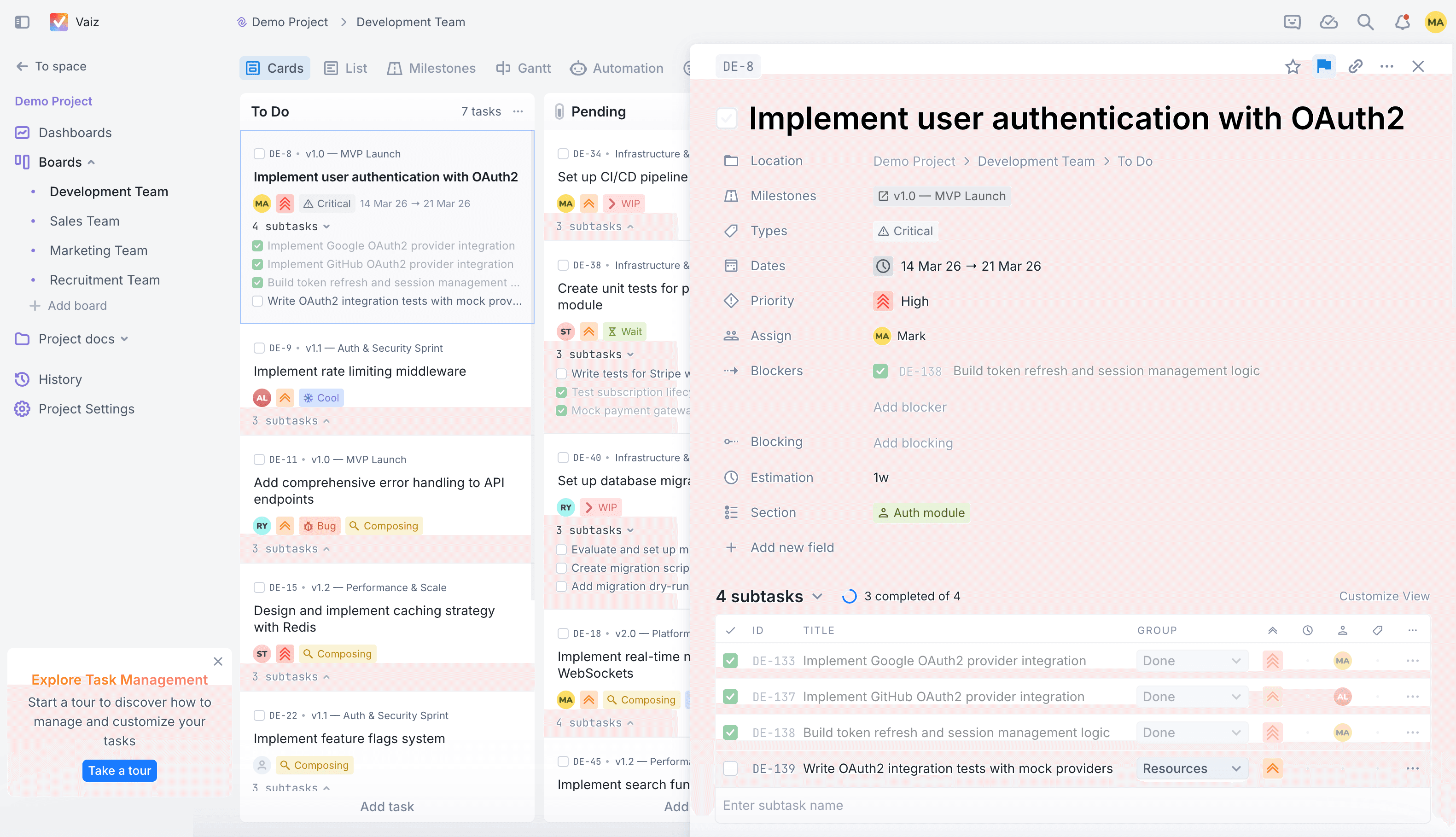
In Asana, a task description is essentially a static text box. For anything complex, you end up pasting a link to a Google Doc.
In Vaiz, the task is the document. Every task features a full-scale collaborative canvas:
Rich block editor
Build specs, architecture overviews, or QA checklists directly inside the task using layouts, collapsible details, and syntax-highlighted code blocks. Learn more about documents.
AI content generation
Generate drafts, meeting notes, or technical specs with AI directly inside the task. No copy-pasting from external tools because the context is already there.
Real-time collaboration
Work on the project scope with your teammates simultaneously, seeing cursors and edits as they happen.
Native AI that actually works (not just a chatbot)
While most "Asana alternatives" just slapped a ChatGPT window onto their sidebar, Vaiz integrated AI into the flow of work:
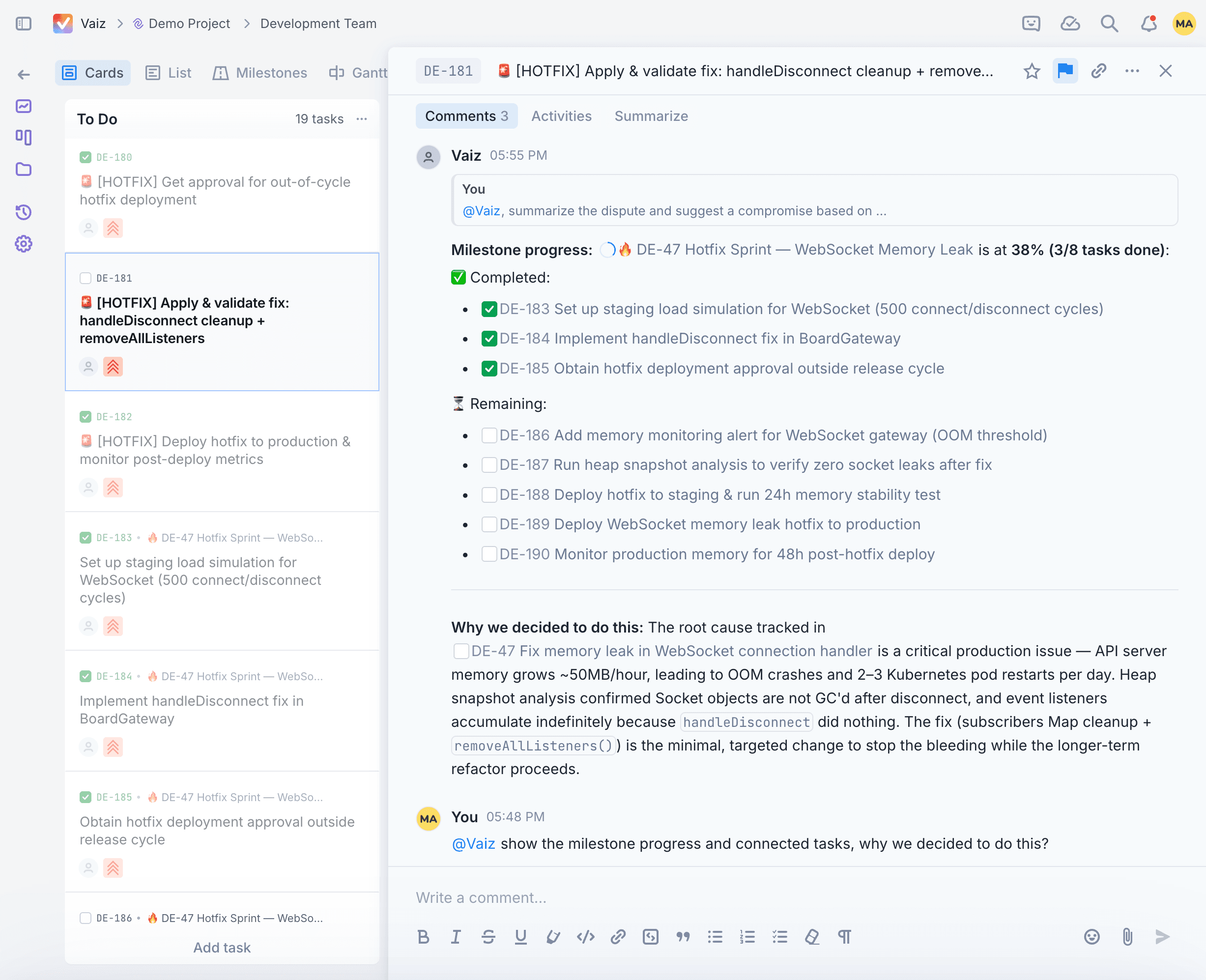
@vaiz in comments
Mention the AI agent in any thread. It can summarize the previous 30 comments, check the attached documentation, and suggest the next logical step.
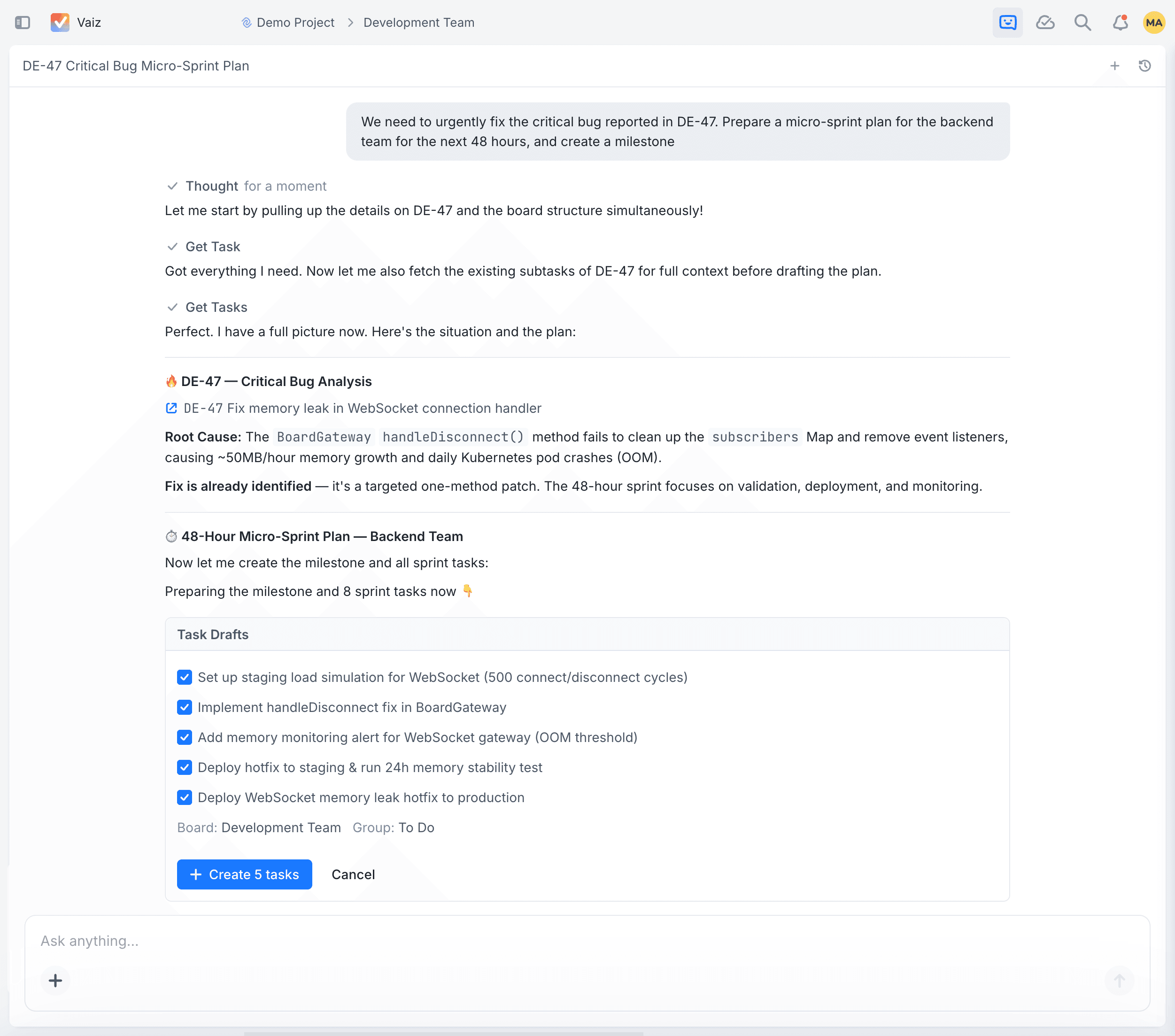
Morning briefings
Start your day by asking the AI chat for a summary of blockers and overdue tasks across all your boards. It generates interactive, clickable reports instead of plain text.
What this means for your team:AI in Vaiz isn't a separate tool you switch to. It lives inside comments, boards, and documents, reducing the time spent gathering status and context by hours every week. Combine it with automation rules to eliminate routine entirely.
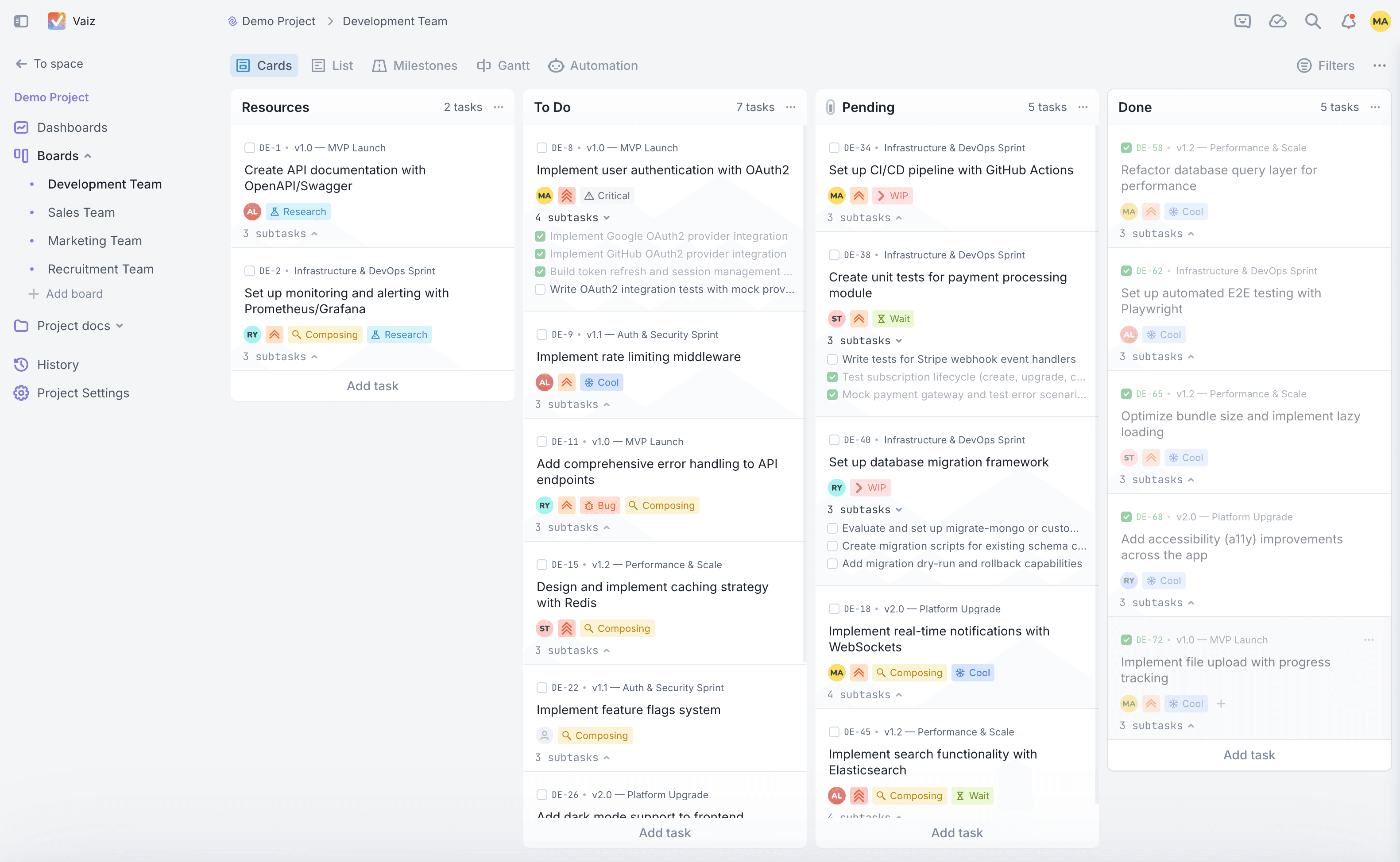
Advanced workflow control: WIP limits
Most task managers encourage "productivity theater": adding more and more tasks until the board becomes a graveyard of unfinished ideas.
Vaiz introduces WIP (Work In Progress) Limits on Kanban boards. By setting a maximum capacity for columns like "In Review" or "Testing," the system visually signals bottlenecks. This helps managers prevent developer burnout and ensures the team actually finishes work before starting something new.
Professional-grade data structure
Asana's custom fields are useful but limited. Vaiz introduces DataGrids, typed tables that live inside your workspace.
- Need a lightweight CRM to track deals and contacts?
- A recruitment pipeline with seniority levels and interview dates?
- A content calendar with statuses, owners, and publish dates?
DataGrids allow you to manage structured data with the power of a spreadsheet but the UI of a modern app.
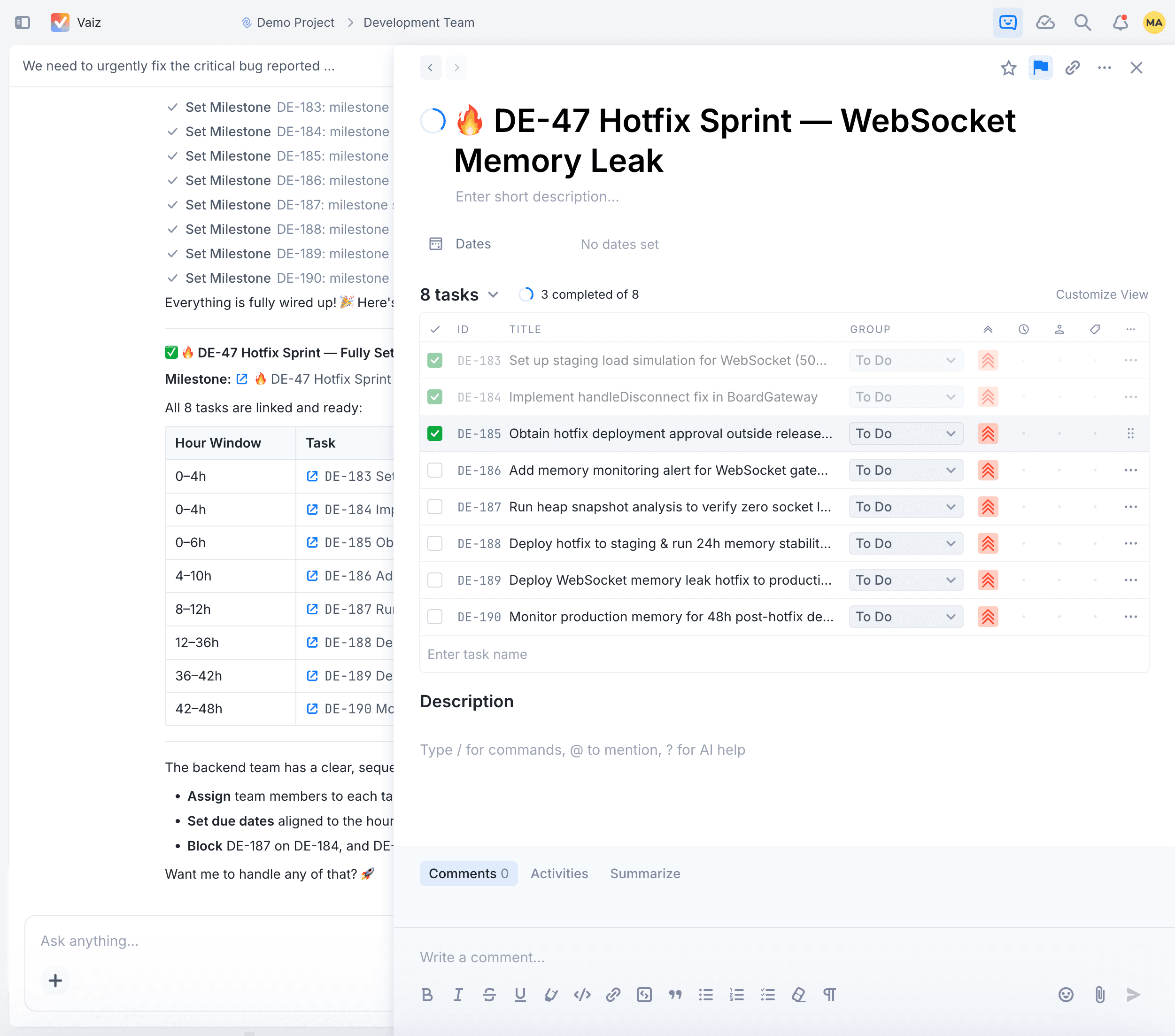
Comparison at a glance: Vaiz vs. Asana
| Feature | Asana | Vaiz |
|---|---|---|
| Task context | Static text + external links | Live collaborative documents |
| Workflow logic | Basic automation rules | WIP limits & advanced rules |
| AI integration | Text generation add-on | In-thread agent & interactive BI |
| Documentation | Limited / Project briefs | Native knowledge base (Wiki) |
| Subtask logic | Dependent; hidden from board view by default | Fully autonomous; cross-project visibility |
| Structured data | Custom fields only | DataGrids with typed columns |
| Migration | Manual export/import | Automated Migration Center |
Migration from Asana: Zero data loss
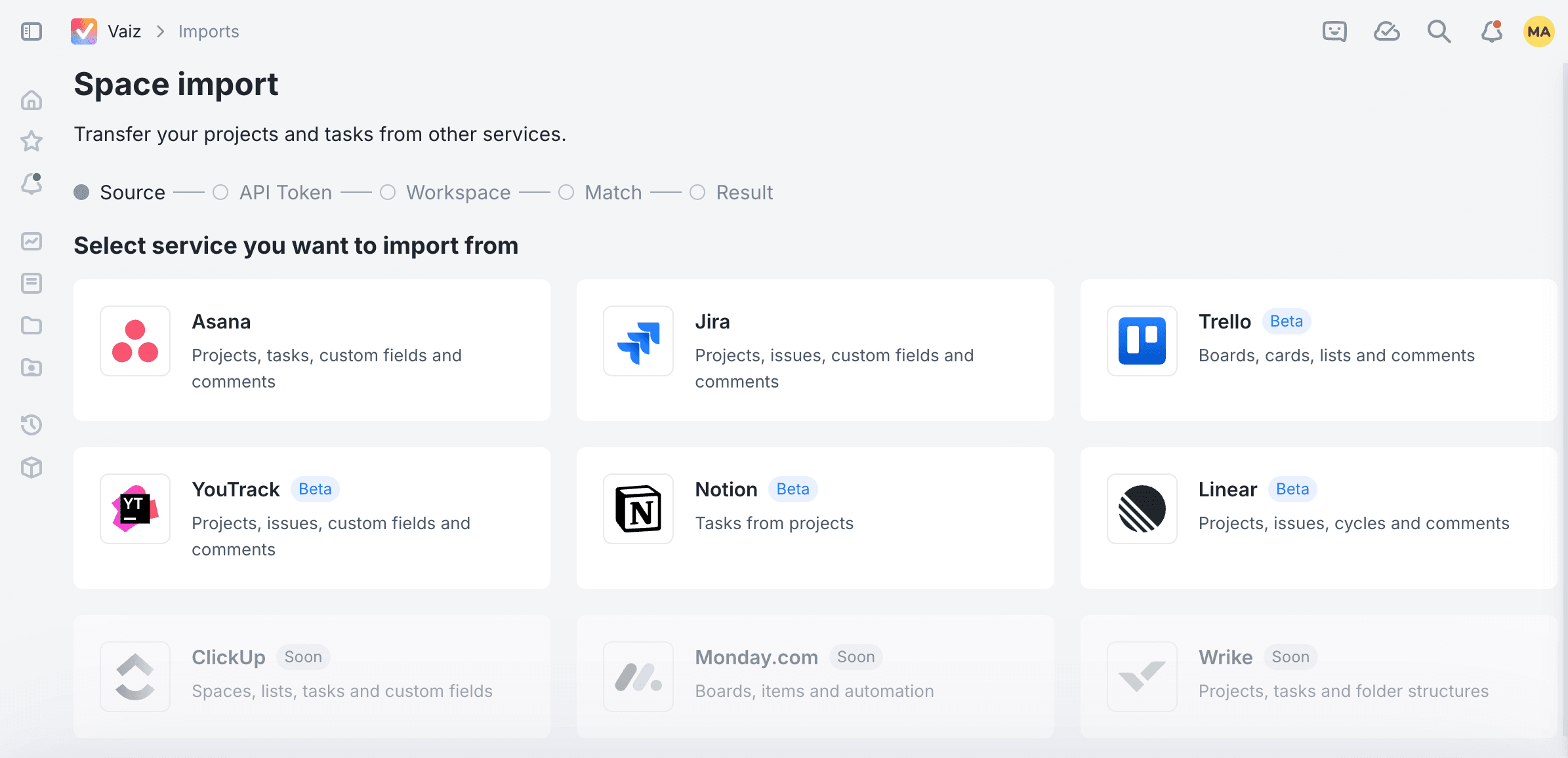
Switching tools is usually a nightmare. Vaiz solves this with a dedicated Migration Center.
Connect your Asana workspace, and the system automatically maps your projects, tasks, assignees, and comment history. Team members with email addresses in Asana receive invites automatically, so everyone lands in the right place from day one. Your team can leave Asana on Friday and start in Vaiz on Monday without losing a single line of context.
Deep dive
A detailed feature-by-feature and pricing comparison covering task management, documentation, AI workflows, automation, and security.
See the full Asana vs Vaiz feature and pricing comparisonFrequently asked questions
Ready to close the context gap?
Stop paying for three different tools to do one job. Transition to a system where your tasks, documents, and AI-assisted workflows live in one operational core.
Try Vaiz for freeNo credit card required. Built-in migration for Asana teams.
Compare Vaiz to other tools
Vaiz vs Asana
The full feature-by-feature and pricing comparison between Vaiz and Asana.
Learn moreVaiz vs Monday.com
Compare automation, documentation, and AI depth between Vaiz and Monday.com.
Learn moreVaiz vs Linear
See why teams outgrow Linear once work expands beyond engineering.
Learn moreVaiz vs Jira
Compare Vaiz and Jira on workflows, documentation, and operational overhead.
Learn moreVaiz vs Wrike
See how Vaiz keeps the same operational depth without the enterprise sprawl.
Learn more